Troubleshooting
Why Can't I Scroll on Pinterest? 8 Fixes That Work
Pinterest feed frozen or stuck? Here's why you can't scroll on Pinterest and 8 practical fixes, from clearing cache to checking outages, that actually work.
Short answer
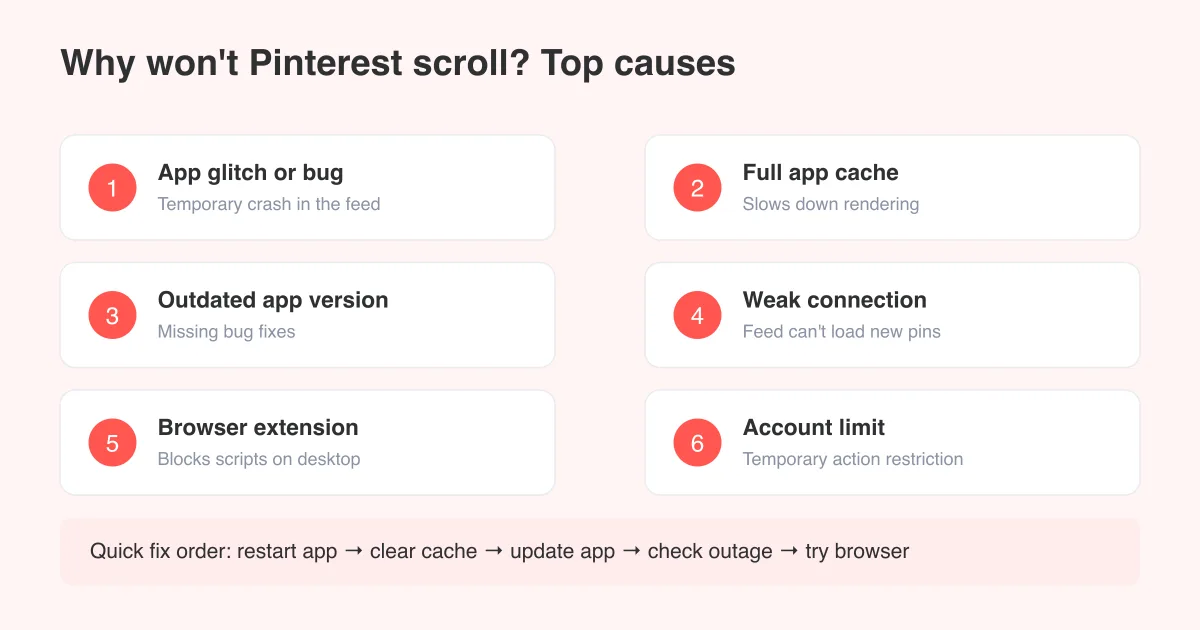
Pinterest usually won't scroll because of a temporary app glitch, a full cache, an outdated app version, a weak internet connection, or a browser extension interfering with the page. Restarting the app, clearing its cache, and updating to the latest version fixes the issue in most cases. If the feed itself looks broken rather than frozen, see our guide on Pinterest showing irrelevant images for related feed problems.
Why your Pinterest feed suddenly stops scrolling
Pinterest loads its feed in small batches as you scroll, pulling new pins from the server and rendering them on the fly. When that loading process hangs, gets interrupted, or runs into a rendering bug, the page can freeze, jump back to the top, or stop responding to swipes and mouse scrolls entirely. It's rarely one single cause; it's usually one of a short list of usual suspects.
- A temporary app or website glitch that just needs a restart
- A bloated cache slowing down how the feed renders
- An outdated app version missing recent bug fixes
- A weak or unstable internet or Wi-Fi connection
- A browser extension (ad blocker, script blocker) interfering on desktop
- A temporary account limit after rapid pinning or reporting activity
- Low device storage or RAM making the app sluggish or unresponsive
Good to know
Exact menu names, button labels, and settings screens can vary slightly by app version, phone model, and whether you're on iOS, Android, or the web. If a step below doesn't match exactly what you see, look for the closest equivalent option.
8 fixes to try, in order
Work through these fixes from fastest to most involved. Most people solve the problem in the first three steps.
- Force-close and restart the Pinterest app: Swipe it away from your recent apps (or fully quit it on desktop) and reopen it. This clears whatever process got stuck.
- Restart your device: A full reboot clears memory and often resolves a frozen scroll that a simple app restart didn't fix.
- Check your internet connection: Switch between Wi-Fi and mobile data, or move closer to your router, then reload the feed.
- Update the Pinterest app: Go to the App Store or Google Play, check for a pending update, and install it. Bug fixes for scroll and rendering issues ship regularly.
- Clear the app's cache: On Android, go to Settings > Apps > Pinterest > Storage > Clear cache. On iPhone, offload and reinstall the app since iOS doesn't offer a separate cache-clear option.
- Reinstall the app: Delete Pinterest entirely and reinstall it fresh from the app store. This resolves deeper glitches that a cache clear alone can't fix.
- Try Pinterest in a browser: Log in at pinterest.com on your phone or computer to see if scrolling works there. If it does, the problem is app-specific, not account-specific.
- Check for a Pinterest outage: Search 'Pinterest down' or check a status-tracking site. If Pinterest itself is having problems, no fix on your end will help until it's resolved.
If you're scrolling on desktop or in a browser
Browser extensions are a common, overlooked cause of a frozen Pinterest feed on desktop. Ad blockers, privacy tools, and script blockers can quietly stop the JavaScript that loads new pins as you scroll.
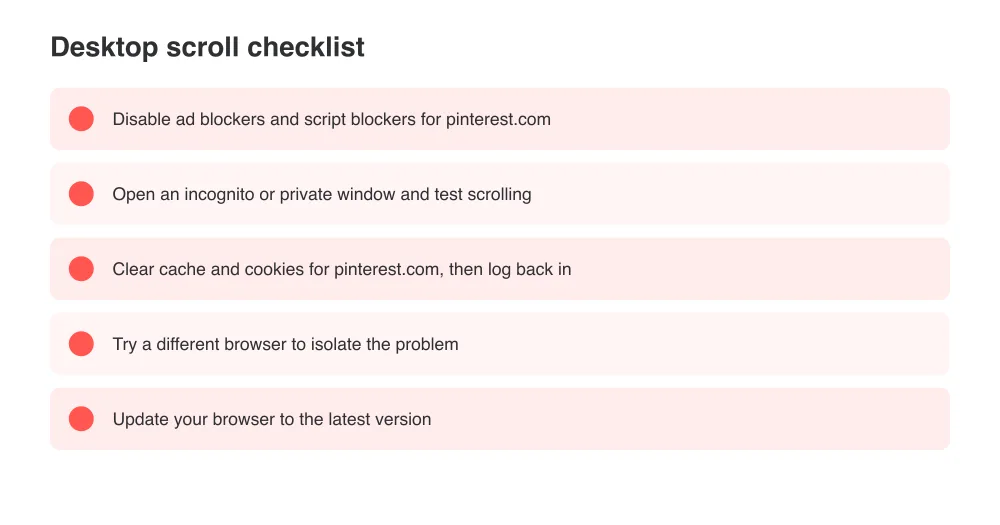
- Disable ad blockers and privacy extensions for pinterest.com, then refresh
- Try an incognito or private browsing window, which loads without most extensions
- Clear your browser's cache and cookies for Pinterest, then log back in
- Test a different browser entirely (Chrome, Safari, Firefox, Edge) to isolate the issue
- Make sure your browser itself is up to date, since old browser versions can break modern web apps
Could it be an account limit, not a bug?
If you've been pinning, following, or commenting very quickly, or if content on your account has been reported, Pinterest can temporarily throttle parts of your account, including how the feed loads. This usually resolves on its own within a day or two. It's a different problem from posting itself; if you're also having trouble creating pins, our guide on how to post on Pinterest covers common posting hiccups.
A throttled feed is temporary and account-wide, not device-specific. If scrolling fails on every device and browser you try while logged into the same account, but works fine when logged into a different account, that points to an account-level limit rather than an app bug.
Check your device's storage and memory
Pinterest's feed is image- and video-heavy, which means it needs some free RAM and storage to render smoothly. On an older phone or one that's nearly full, the app can lag, stutter, or freeze mid-scroll simply because the device can't keep up.
- Free up storage by deleting unused apps, photos, or downloads
- Close other apps running in the background before opening Pinterest
- Restart your device weekly to clear accumulated memory clutter
- If your device is several years old, expect more frequent slowdowns on media-heavy apps
Still can't scroll? What to do next
If you've restarted, updated, cleared cache, reinstalled, tried a browser, and confirmed there's no outage, and the feed still won't move, the next step is contacting Pinterest support directly through the app's Help Center or the Pinterest Help Twitter/X account. Include your device model, app version, and whether it happens on Wi-Fi, mobile data, and other devices; that detail speeds up their diagnosis.
Before you contact support
Take a short screen recording of the frozen scroll. Support teams can often spot the specific glitch from a video faster than from a written description alone.
Frequently asked questions
Most freezes come from a temporary app glitch, a full cache, or a weak connection. Force-close the app, restart your device, and check your internet before trying anything else.