Business
How to Get More Followers on Pinterest in 2026
Learn how to get more followers on Pinterest in 2026: optimize your profile with keywords, pin fresh content consistently, use Idea Pins, and grow through search.
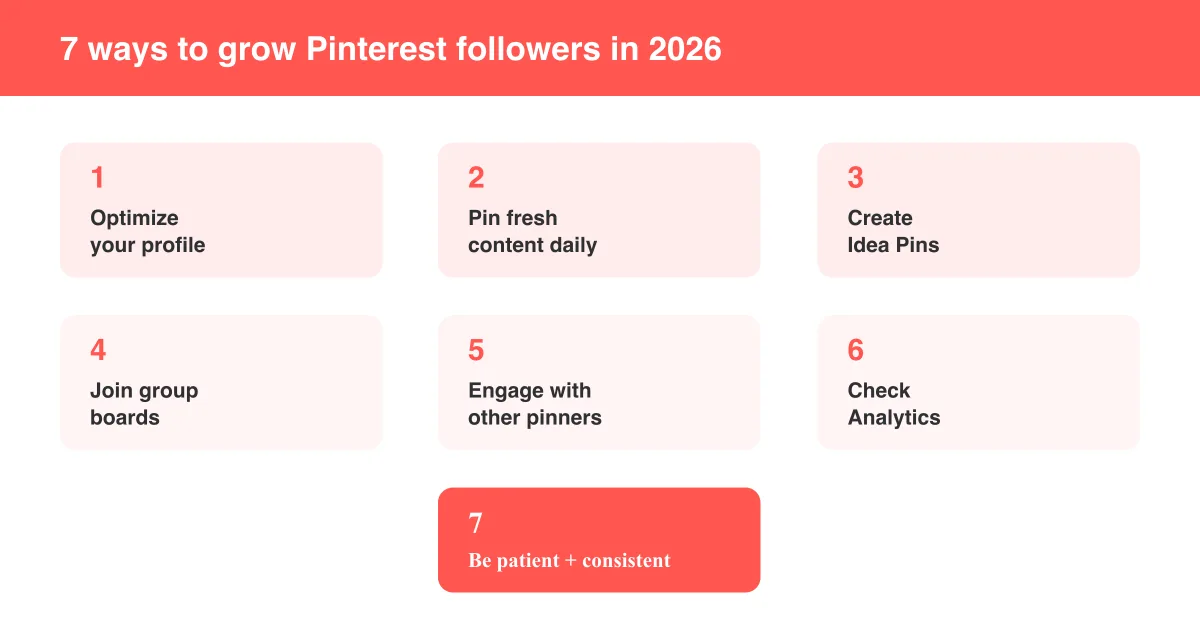
Short answer
The fastest way to get more Pinterest followers is to optimize your profile with searchable keywords, pin fresh content consistently, and create Idea Pins that keep people on your profile longer. But followers are largely a side effect of good Pinterest for business strategy — Pinterest is built as a visual search engine, not a follower-driven social feed, so most of your traffic will come from search and recommendations rather than your follower count. Focus on discoverability first and follower growth tends to follow.
Why followers matter less on Pinterest than you'd think
On most social platforms, follower count is the main growth metric. Pinterest works differently: it functions primarily as a visual search engine, so a huge share of your traffic comes from people searching for a topic or scrolling their personalized home feed, not from people who deliberately follow your account. A small account with strong, keyword-optimized pins can regularly outperform a large account with weak content.
Set realistic expectations
Pinterest doesn't reward rapid follower spikes the way some platforms do. Growth tends to be gradual and compounding — a well-optimized pin can keep earning impressions, saves, and new followers for months or years after you publish it.
That said, followers still matter: they see your new pins first in their home feed, they're often your most engaged audience, and a healthy follower count adds social proof to your profile. This guide covers the tactics that reliably grow followers on Pinterest in 2026, in the order that produces results fastest.
1. Optimize your profile and use keywords everywhere
Before anyone can follow you, they have to find you. Pinterest's search and recommendation systems rely heavily on the text around your profile and pins, so treat every field as SEO real estate.
- Use a clear display name that includes your niche keyword, not just your brand name (e.g. "Maya's Kitchen | Easy Family Dinners").
- Write an about section with 2–3 natural keyword phrases describing exactly what you post about.
- Upload a recognizable profile photo or logo so people trust the account before they follow.
- Organize and title your boards around real search terms people type into Pinterest.
- Feature your best, most active boards at the top of your profile.
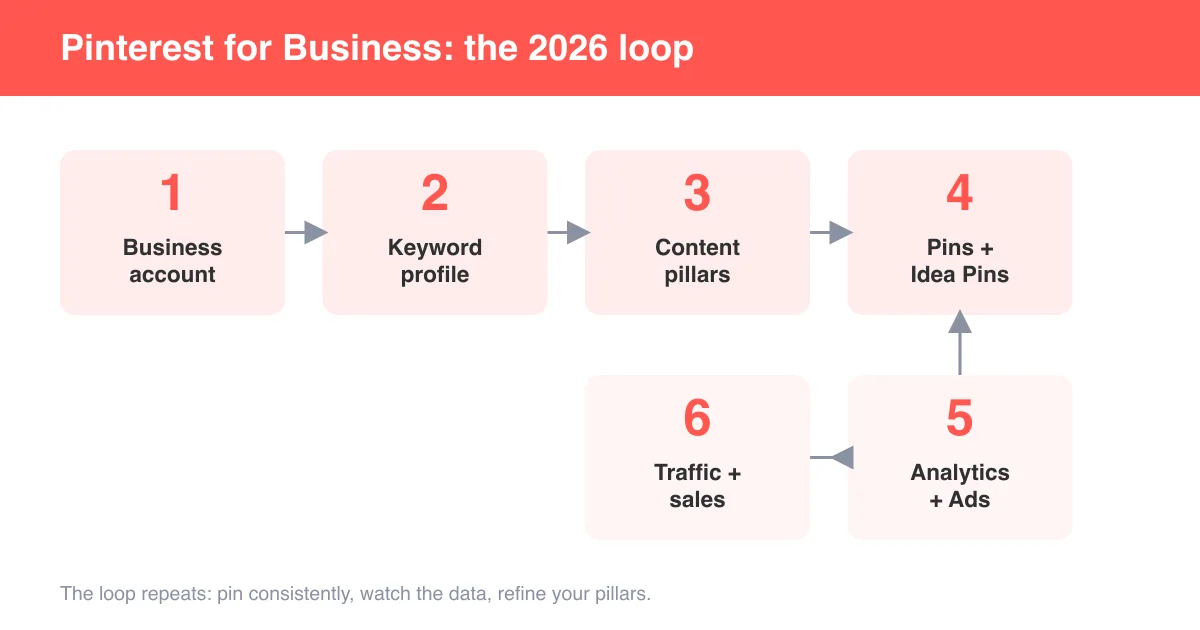
If you haven't set up a business profile yet, our guide on how to use Pinterest for business walks through the full setup, since business accounts unlock Analytics and other growth tools personal accounts don't have.
2. Pin fresh, original content consistently
Pinterest has repeatedly emphasized fresh, original content in how it ranks pins — new images and videos tend to get evaluated and distributed more favorably than the same graphic re-uploaded over and over. Consistency matters more than volume.
- Aim for a sustainable cadence (roughly 3–7 fresh pins per week) rather than a burst of activity followed by silence.
- Vary your visuals for the same topic instead of reposting one identical image repeatedly.
- Use vertical images (a taller, roughly 2:3 aspect ratio is commonly recommended) since they take up more space in the feed.
- Write unique, keyword-rich titles and descriptions for each pin rather than copy-pasting the same text.
- Link pins to real, working destination pages so clicks translate into an actual visit, not a dead end.
"Fresh" doesn't necessarily mean brand new topic — it means a new image, video, or format. You can repurpose the same blog post or product into several distinct-looking pins over time.
3. Use Idea Pins to boost engagement and reach
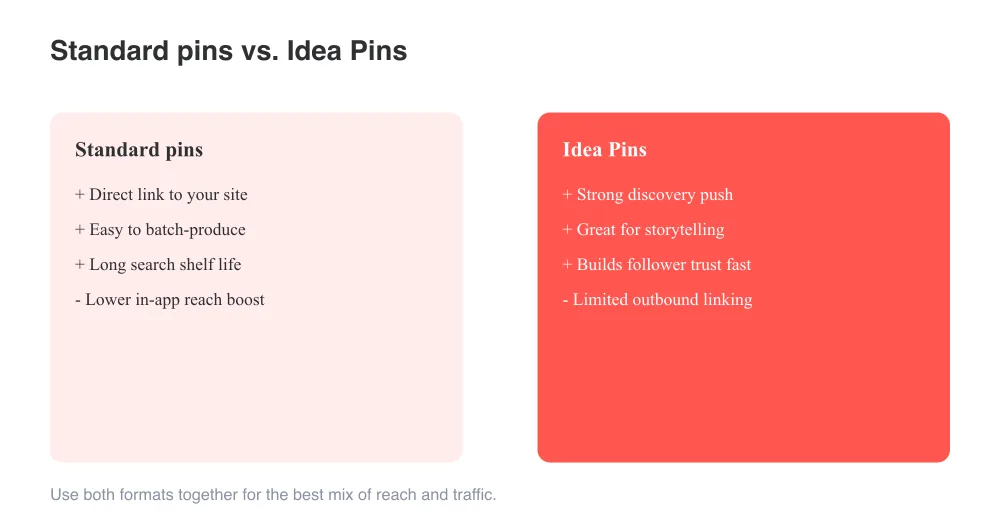
Idea Pins are Pinterest's multi-page, story-style format built for in-app storytelling, and they tend to get strong organic reach because Pinterest actively promotes them to new audiences inside the app. If you want to build a group board on Pinterest around a niche, pairing it with regular Idea Pins is one of the fastest ways to get discovered.
- Post Idea Pins regularly to stay visible in the dedicated discovery surfaces Pinterest gives them.
- Add a strong hook on the first page/frame since that's what shows in the feed before someone taps in.
- Include a clear call-to-action ("follow for more") since Idea Pins often can't link out the way standard pins can.
- Repurpose short-form video you've already made for other platforms to save production time.
4. Join group boards and engage with other pinners
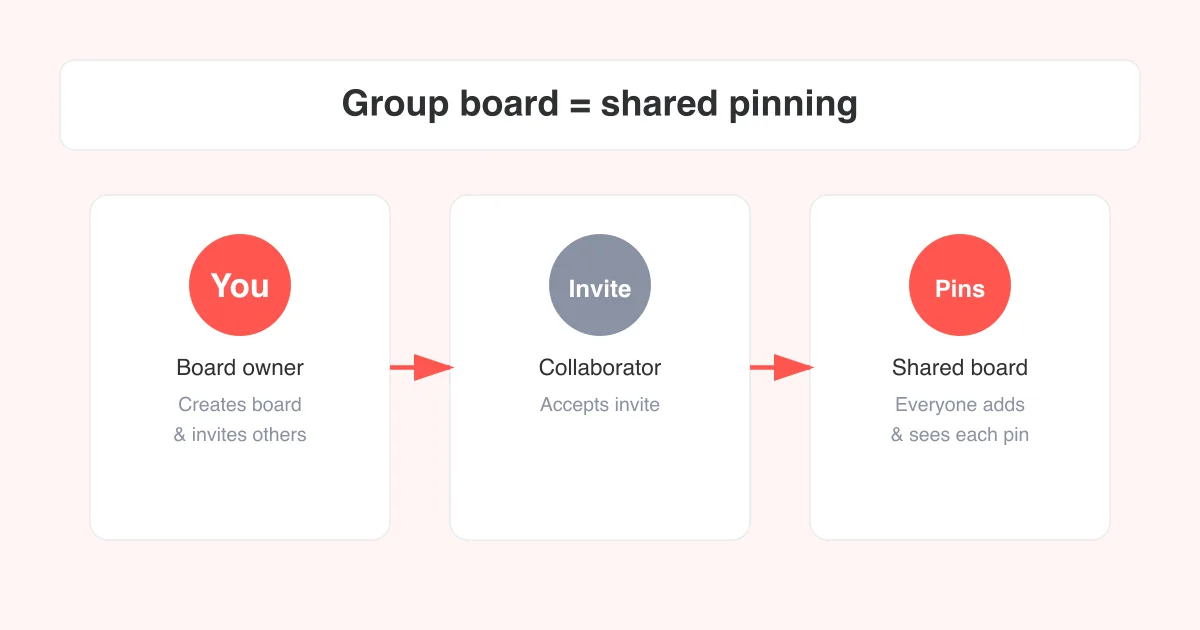
Group boards pool contributors' audiences together, so pinning to an active, relevant group board can put your content in front of followers you don't have yet. Look for group boards in your niche with genuine engagement (saves and comments, not just a huge follower count with no activity).
- Search for group boards related to your topic and check recent pin activity before requesting to join.
- Follow the board's specific posting rules (many limit posts per day to avoid spam).
- Save and thoughtfully comment on other creators' pins in your niche — genuine engagement often gets reciprocated.
- Follow accounts whose content complements (not directly competes with) yours to build real community.
For a step-by-step walkthrough, see our guide on how to create a group board on Pinterest.
5. Use Analytics to double down on what's working
Pinterest Analytics (available on business accounts) shows which pins and boards are earning impressions, saves, and outbound clicks. Reviewing it regularly lets you replicate your winners instead of guessing.
- Check your top-performing pins each month by saves and outbound clicks, not just impressions.
- Note which topics and formats (standard vs. Idea Pins) are driving the most engagement.
- Create fresh variations of your top performers rather than starting from scratch every time.
- Watch your audience insights to confirm your content matches who's actually engaging.
- Revisit your keyword list and content pillars quarterly based on what the data shows.
Feature names and options vary
Exact analytics dashboards, button labels, and available metrics can differ by account type, region, and app version. Check what's currently available in your own account before building a reporting workflow around a specific feature.
Common mistakes that slow follower growth
- Buying followers or using bots — this violates Pinterest's policies and can lead to a suspended account without improving real reach.
- Posting the same image repeatedly instead of fresh visuals for the same topic.
- Neglecting keyword research on board titles, board descriptions, and pin descriptions.
- Linking to broken, slow, or irrelevant destination pages, which hurts both trust and click-through.
- Expecting overnight virality — Pinterest's search-driven model rewards patience and consistency over time.
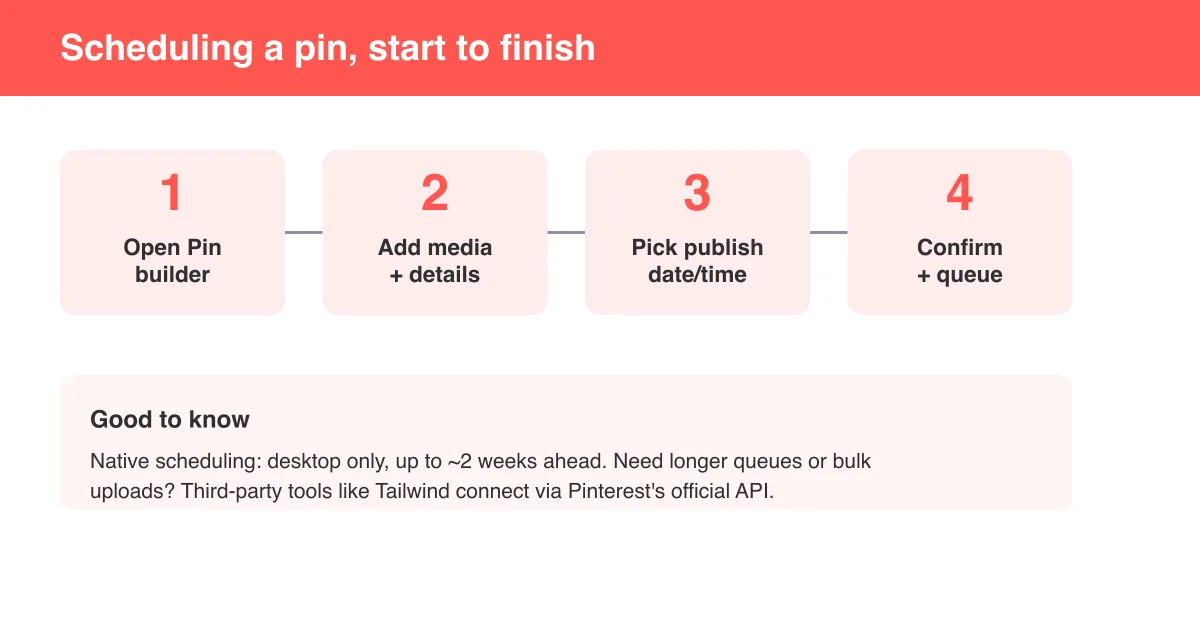
If you're managing several boards and want to keep a steady publishing cadence without manually posting every day, our guide on how to schedule pins on Pinterest covers the tools and settings for planning content in advance.
Turning a growing following into income
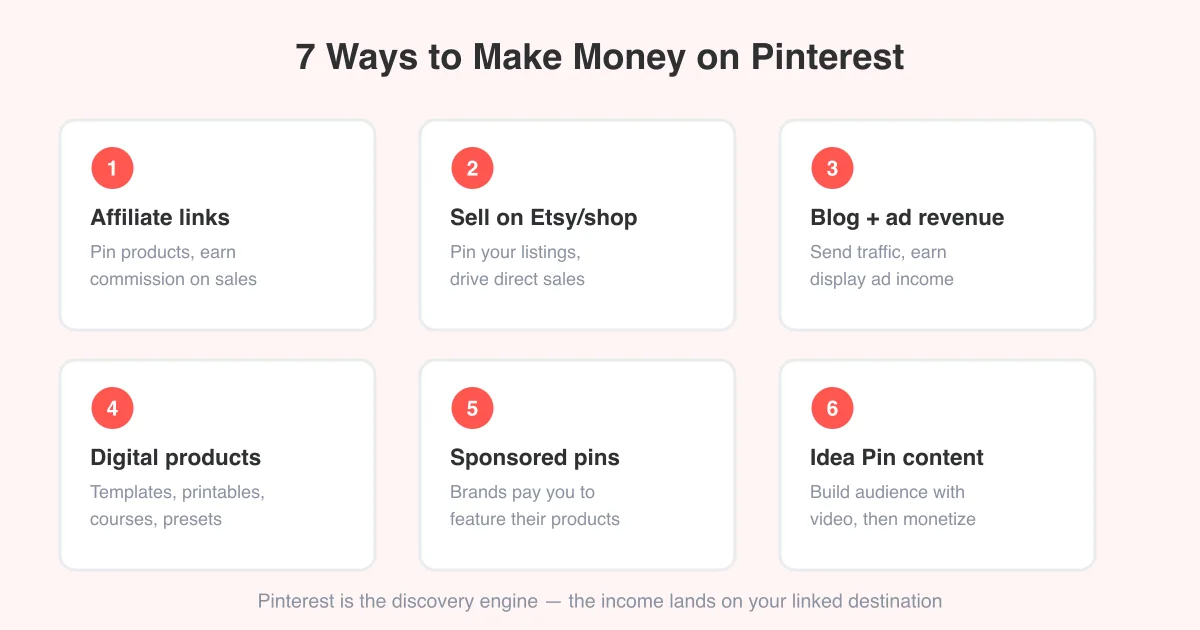
Once you're consistently gaining followers and traffic, you can start layering in monetization — affiliate links, your own products, or creator tools. Our guide on how to make money on Pinterest covers the practical paths to turning that audience into revenue.
Frequently asked questions
There's no reliable shortcut — the fastest sustainable path is optimizing your profile with keywords, pinning fresh content consistently, and using Idea Pins, since Pinterest surfaces content through search rather than a follower feed.
Sources