Troubleshooting
Why Did I Get a Violation Notice on Pinterest? (And How to Appeal)
Got a violation notice on Pinterest? Learn the real reasons pins and accounts get flagged, what happens next, and the exact steps to appeal and fix it.
Short answer
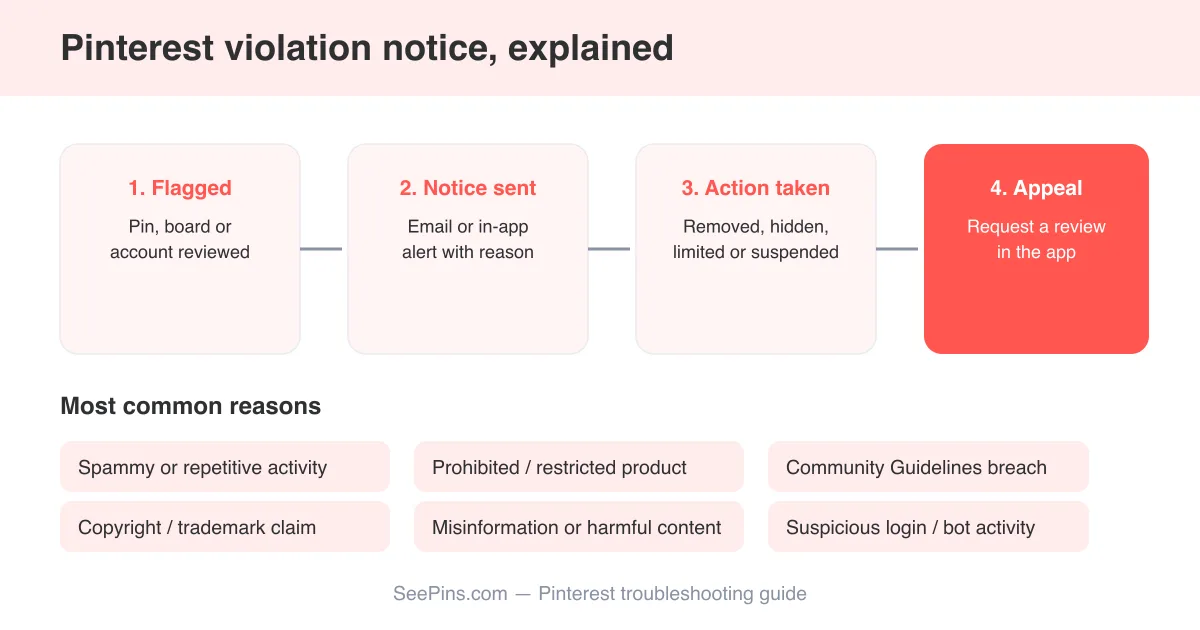
A Pinterest violation notice means the platform's automated systems or a human reviewer decided one of your pins, boards, or your account broke the Community Guidelines — most often for spammy behavior, copyright or trademark infringement, prohibited or restricted products, misinformation, or content flagged as harmful. Depending on severity, Pinterest may remove a single pin, hide a board, limit your account's reach, or suspend it entirely. Most notices include an Appeal or Request a review link, and first-time, low-severity violations are often reversible if you respond quickly with accurate information.
What a Pinterest violation notice actually is
A violation notice is Pinterest telling you that something you posted, saved, or did on the platform tripped a rule in its Community Guidelines. It can come from an automated content-scanning system, from another user's report, or from a manual review after a copyright or trademark complaint. The notice usually arrives as an email, an in-app banner, or a message in your notifications tab, and it typically names the pin, board, or behavior involved and the policy it broke.
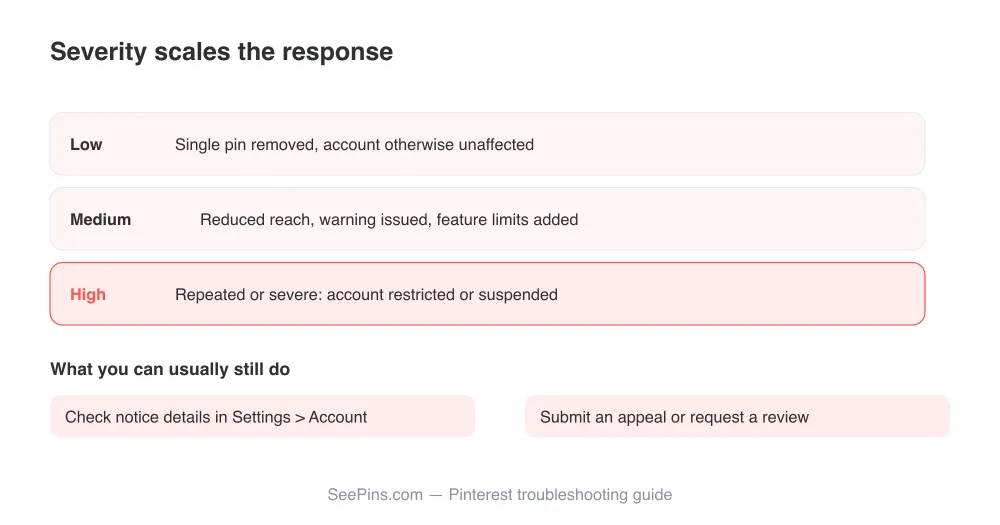
Not every notice means your whole account is in danger. Pinterest scales its response to the severity and pattern of the issue — a single pin might just get taken down quietly, while repeated or serious violations escalate toward account limits or suspension.
Read the notice carefully first
Before doing anything else, open the notice and note the exact policy cited and whether it references a specific pin, board, or your account as a whole. The appeal path and required evidence differ depending on which one it is.
Common reasons pins and accounts get flagged
Pinterest's guidelines cover a wide range of behavior, but most violation notices trace back to a handful of recurring categories.
- Community Guidelines violations: hate speech, harassment, graphic violence, adult content, or content that promotes self-harm, all of which are explicitly barred under Pinterest's Community Guidelines.
- Spam and inauthentic behavior: mass-following, repetitive pinning of the same link, engagement bait, or automated posting patterns that look bot-like rather than human.
- Copyright or intellectual property claims: pinning or uploading images, videos, or designs you don't have rights to, which can trigger a takedown after a rights holder files a report.
- Prohibited or restricted products: content promoting items Pinterest doesn't allow to be advertised or sold, such as counterfeit goods, weapons, or regulated substances.
- Misinformation: health, election, or scientific claims that contradict guidance from authoritative sources, which Pinterest actively moderates against under its misinformation policy.
- Suspicious account activity: logins from unusual locations, rapid changes to account details, or behavior that resembles a compromised or automated account.
A violation doesn't always mean you broke a rule on purpose. Reposting an image you found elsewhere, using a stock photo without a license, or pinning a health tip you saw on another site can all trigger a notice even without bad intent.
What happens to the pin or account after a violation
The consequence depends on the severity and whether it's a first-time or repeat issue. Pinterest generally applies one of a few outcomes.
- Content removal — the specific pin, video, or board is taken down, but the rest of your account keeps working normally.
- Reduced distribution — the content or account stays up but is shown to fewer people, often used for borderline or repeated minor issues.
- Feature limits — you may temporarily lose the ability to pin, comment, message, or create ads while the account is under review.
- Account suspension — for serious or repeated violations, the account is disabled and you may be locked out of logging in.
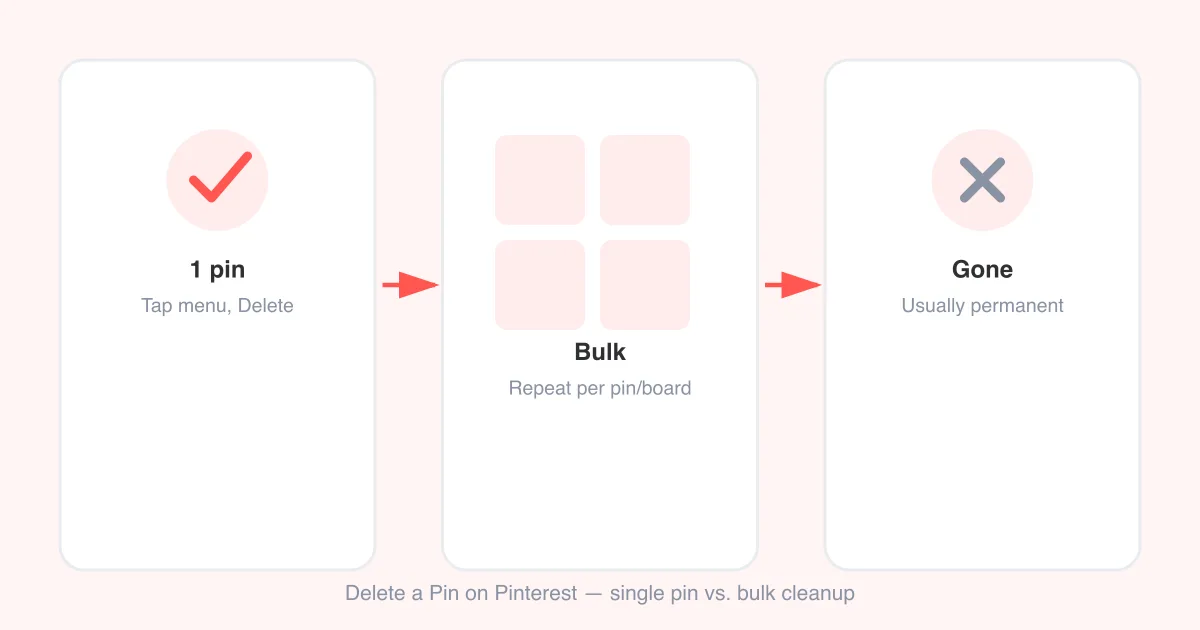
If a specific pin was removed rather than your whole account, it's worth checking whether the pin still shows in your profile as deleted or simply missing — see this guide on deleting pins on Pinterest for how Pinterest handles removed content on your end, and how to undo a pin on Pinterest if you saved something by mistake and want to reverse it before it gets reported.
How to appeal or request a review
If you believe the notice was a mistake, or the issue is fixable, Pinterest gives you a way to push back rather than simply accepting the outcome.
- Open the notice itself — in the app notification, email, or under Settings > Account — and look for an Appeal or Request a review button.
- Read the specific policy referenced and be honest with yourself about whether the content or behavior actually matches it.
- Fill out the appeal form with a clear, factual explanation: what happened, why you believe it doesn't violate the policy (or what you've since corrected), and any supporting context.
- If it involves a claim from a third party, such as copyright, include proof of ownership or license where possible.
- Submit and wait — Pinterest's help pages note that reviews can take time, so avoid submitting duplicate appeals, which can slow the process down.
- Check your account and email regularly for a follow-up decision, and act on any additional information Pinterest requests.
One appeal at a time
Submitting multiple appeals for the same notice, or creating a new account to bypass a suspension, typically makes things worse rather than better and can be treated as a further violation.
Copyright and trademark claims need a different approach
If your notice specifically cites intellectual property — someone claiming you pinned their photo, artwork, or branded content without permission — the standard appeal form usually isn't the right path. Pinterest handles these under a formal notice-and-counter-notice process described in its intellectual property policy.
- If the claim is valid, the simplest fix is removing the content yourself and, where relevant, crediting or linking back to the original source going forward.
- If you believe the claim is mistaken (for example, you own the rights or have a license), Pinterest's copyright process allows you to submit a counter-notice with supporting evidence.
- Repeated copyright claims against your account, even from different rights holders, can lead to account-level restrictions, so it's worth reviewing your boards for other content with unclear sourcing.
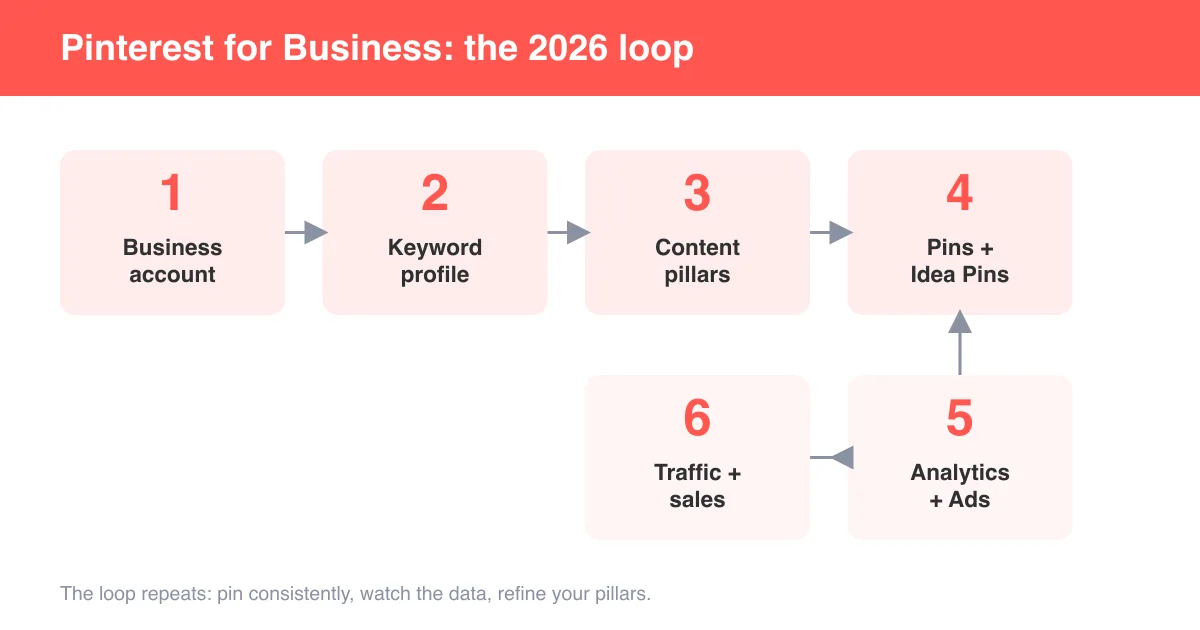
This is also a good moment to double check what you post going forward if you run a shop or brand account — see how to use Pinterest for business for guidance on sourcing product images and creative you're actually allowed to pin.
How to avoid future violations
Most repeat violation notices come from a handful of avoidable habits rather than deliberate rule-breaking. A little care up front saves a lot of appeal-writing later.
- Only pin images, videos, or product photos you created, licensed, or have clear permission to share.
- Avoid repetitive pinning of the same link or image across many boards in a short window — it reads as spam even when it isn't intended that way.
- Keep health, financial, and political claims sourced to reputable, verifiable outlets, and avoid sensational or unverified claims.
- Don't buy followers, use bots, or run automation tools that mimic real account activity.
- Review Pinterest's Community Guidelines periodically, since policies are updated as new abuse patterns emerge.
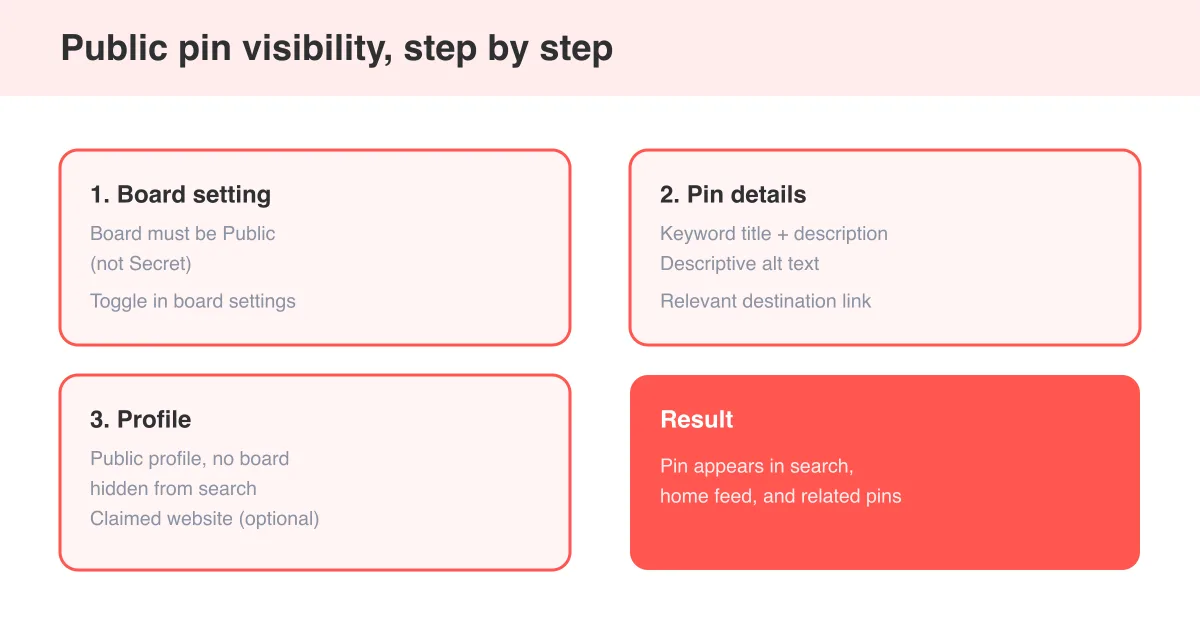
- When posting a public pin, make sure the title, description, and destination link accurately match the image so it isn't flagged as misleading.
If you manage a business or creator account, keep a simple record of where your images and video clips came from (your own shoot, a licensed stock library, a partner brand) so you can respond to a copyright notice quickly if one ever arrives.
When appealing isn't worth it — or isn't possible
Sometimes an appeal genuinely won't succeed — for example, if the content clearly and repeatedly broke a policy, or if the account has a long history of similar notices. In that case, it's usually faster to accept the outcome, clean up the account, and rebuild good standing rather than repeatedly contesting the same decision.
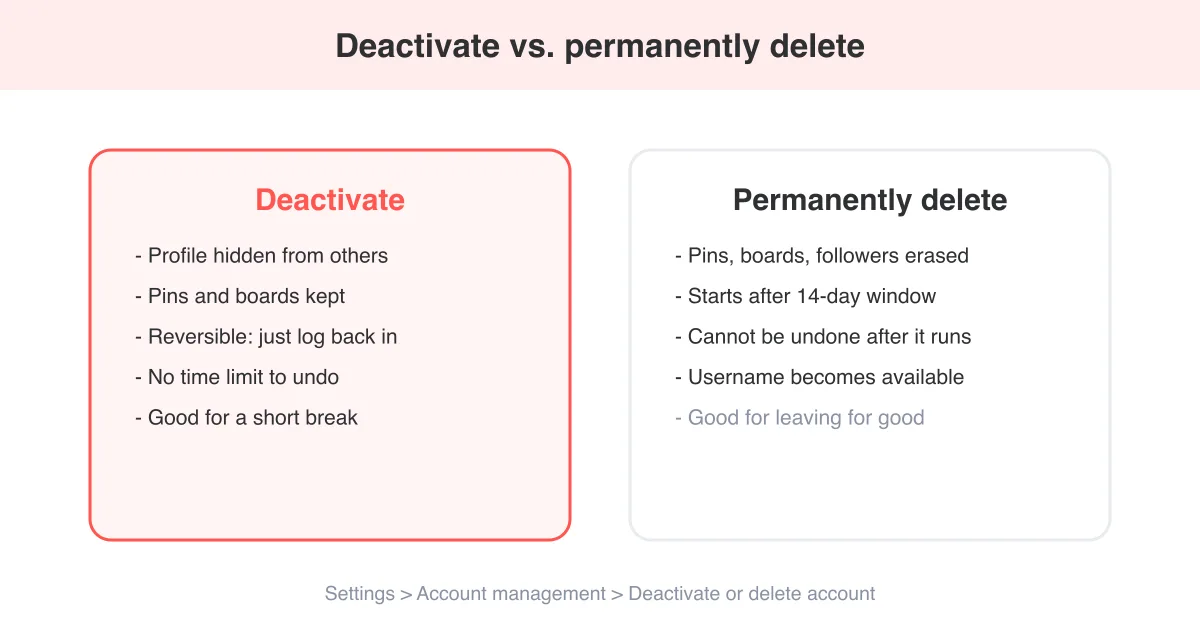
If your account has been permanently suspended and you've confirmed through the appeal process that it won't be restored, or you've simply decided to leave the platform, our guide on how to delete a Pinterest account walks through the steps, including what happens to your pins and boards once the account is gone.
Before you write anything off, browse Pinterest's full Help Center for the specific article matching your situation — account, ads, or business policies each have their own review process, and the exact steps can change as Pinterest updates its tools.
Frequently asked questions
Pinterest sends a violation notice when automated systems, a human reviewer, or a user report determines that a pin, board, or your account broke its Community Guidelines — common causes include spammy activity, copyright claims, prohibited products, or misinformation.
Sources